
Welcome To The Patient Portal
Portal Access
To access the portal, click the “Go To Portal” button below.
First-Time Portal Access
The patient portal is where you can create, move or cancel appointments details and other matters associated with your care. It’s separate from the Start My Care form you completed — you’ll need to set it up on your own.
How To Setup Your Patient Portal Account
- Click the “Go To Portal” button below
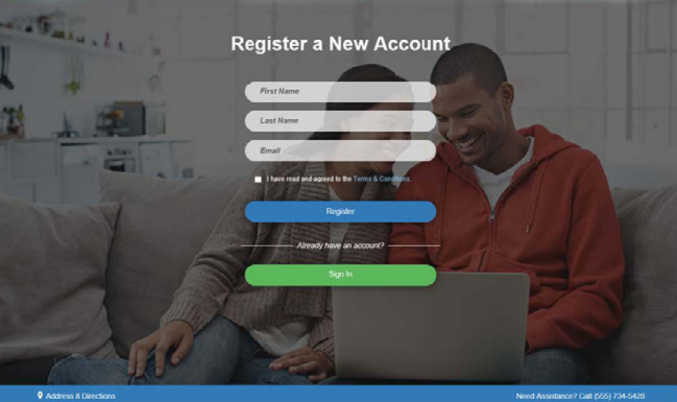
- Once the portal loads, click “Register” (below the sign-in form)
- Enter your name and email — use the same name and email that you used when you completed the Start My Care form so the system can connect your information
- After you register, check your email inbox for a Patient Portal Account Notification email
- Click the “Complete Account” link in that email and create your password
IMPORTANT: To create your account, your name and email entered on the “Register a New Account” screen must match the name and email you used when you completed your Start My Care form.
Once your account is created, you can log in anytime at the same portal link. You can reset your password from the login page whenever you need to.
Troubleshooting
I’m trying to sign in but it says my account doesn’t exist.
You’ll need to register first to create your portal account that will link it to your patient information. Click the “Register” button below the sign-in form and follow the steps above.
I clicked “Forgot Password” but didn’t get an email.
The password reset only works after you’ve created your portal account. If you haven’t registered for the portal (after you completed your Start My Care Form), start with step 1 above.
Don’t see the registration email?
Check your spam or junk folder. It usually arrives within a few minutes.
My name or email doesn’t match what I entered on the Start My Care form.
Call our office at (512) 956-5003 or complete a Patient Assistance Request and we’ll help you get it sorted out.